
Personalized, Real-Time English Lessons
Overview
Unifying fragmented workflows to scale interactive learning
BeLingual (formerly Learn to Learn) is an education company blending English learning with communication, soft skills, and multicultural awareness. However, existing digital tools no longer support its interactive teaching approach, actively limiting student engagement.
The goal was to design a custom, scalable platform for both teachers and students. It needed to enable real-time student submissions and seamless progress tracking without the friction of scattered apps.
The Problem
Defining the core barriers to interactive online teaching
-
 Tool Overload
How might we reduce tool-switching so teachers stay focused on the class?
See the solution -
 Missing Classroom Dynamics
How might we bring the rhythm and connection of a physical classroom into a live virtual one?
See the solution -
 Hidden Emotional States
How might we let teachers quickly identify which students need support during the lesson?
See the solution -
 Invisible Learning Patterns
How might we make student progress visible so teachers can target support?
See the solution -
 One-Size-Fits-All Teaching
How might we help teachers tailor lessons using students’ strengths, challenges, and interests?
See the solution -
 Low Engagement
How might we make lessons engaging to keep students motivated?
See the solution
User Research
Uncovering friction points in the digital classroom
In-depth interviews with English teachers and students, including those from Learn to Learn, revealed the core barriers disrupting their remote lessons. One clear pattern emerged: both groups ultimately want the exact same things.
Alongside the interviews, live session observations captured the real-time dynamics of interactive teaching. These practical insights directly mirrored the workflow friction already present in Learn to Learn’s platform.
Key Insights
Understanding the core needs of teachers and students

One Flow Across Tools
Switching between multiple platforms disrupts focus for both teachers and students.

Interactive Learning
Lessons are more effective when students actively participate and collaborate with teachers.

Seeing Students in Real Time
Teachers want to see students’ faces, understand how they’re doing and support them.

Keeping Motivation High
Positive reinforcement, showcasing progress towards individual goals.

Knowing the Student
Lessons feel more meaningful when they reflect students’ goals, interests, and learning styles.

Relevant Content Drives Engagement
Students connect more with up-to-date, relatable media.
The Solution
From ‘Learn to Learn’ to ‘BeLingual’
 Everything in One Place
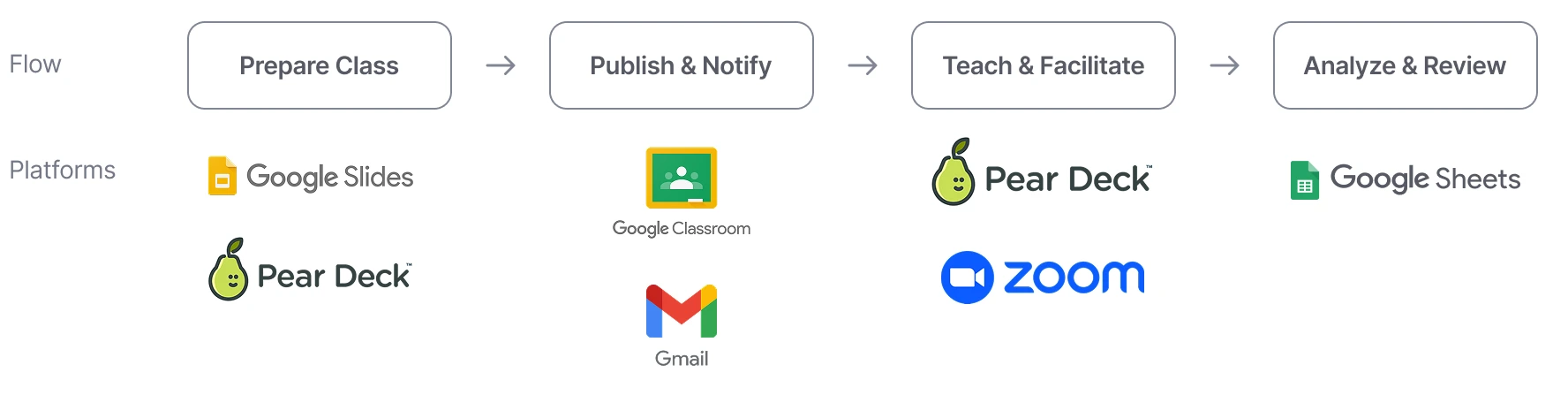
Teaching wasn’t just fragmented during the live lesson, the entire lifecycle of a class, including preparation, publishing, teaching, and review, was spread across multiple tools, increasing workflow friction for teachers and forcing students to juggle several platforms.
Before
After
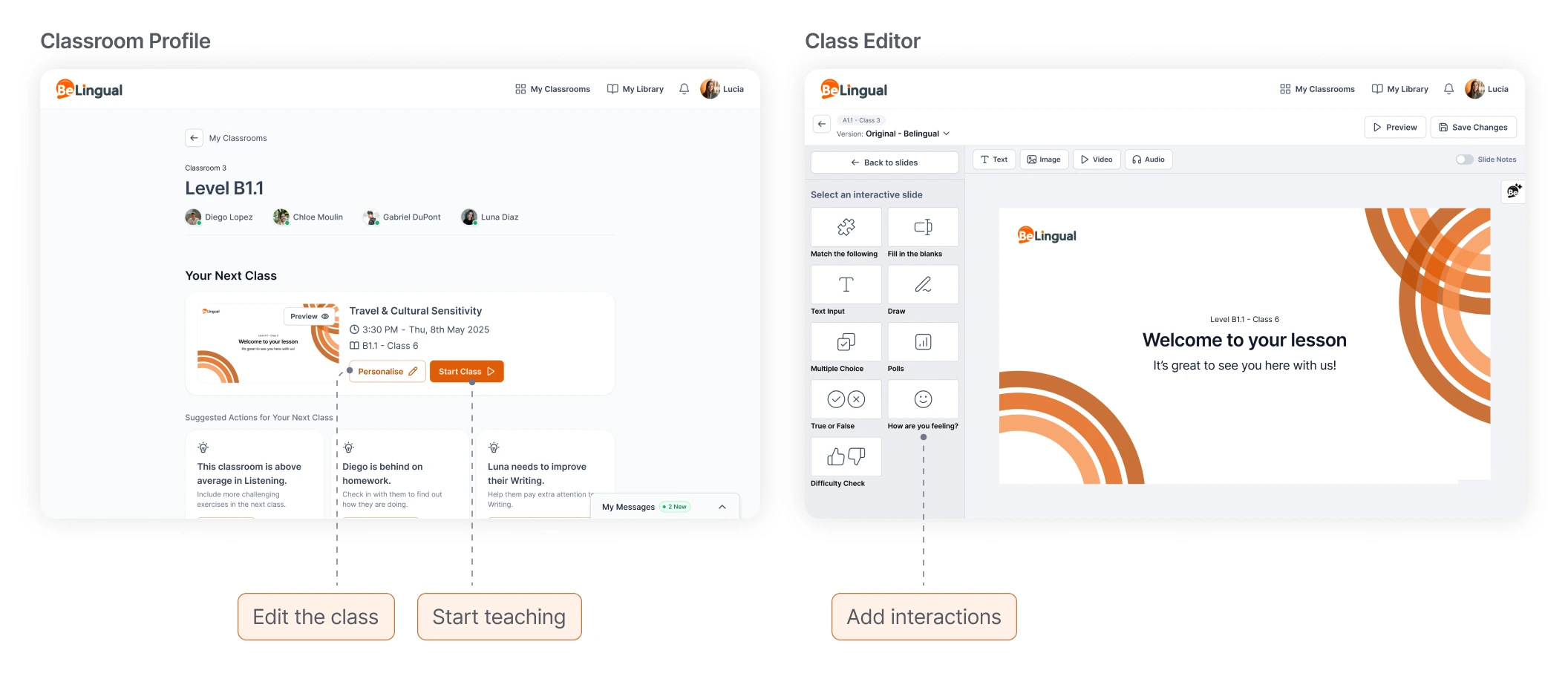
BeLingual was designed to collapse this fragmented flow into a single teaching and learning surface.
 Replicating the Physical Environment
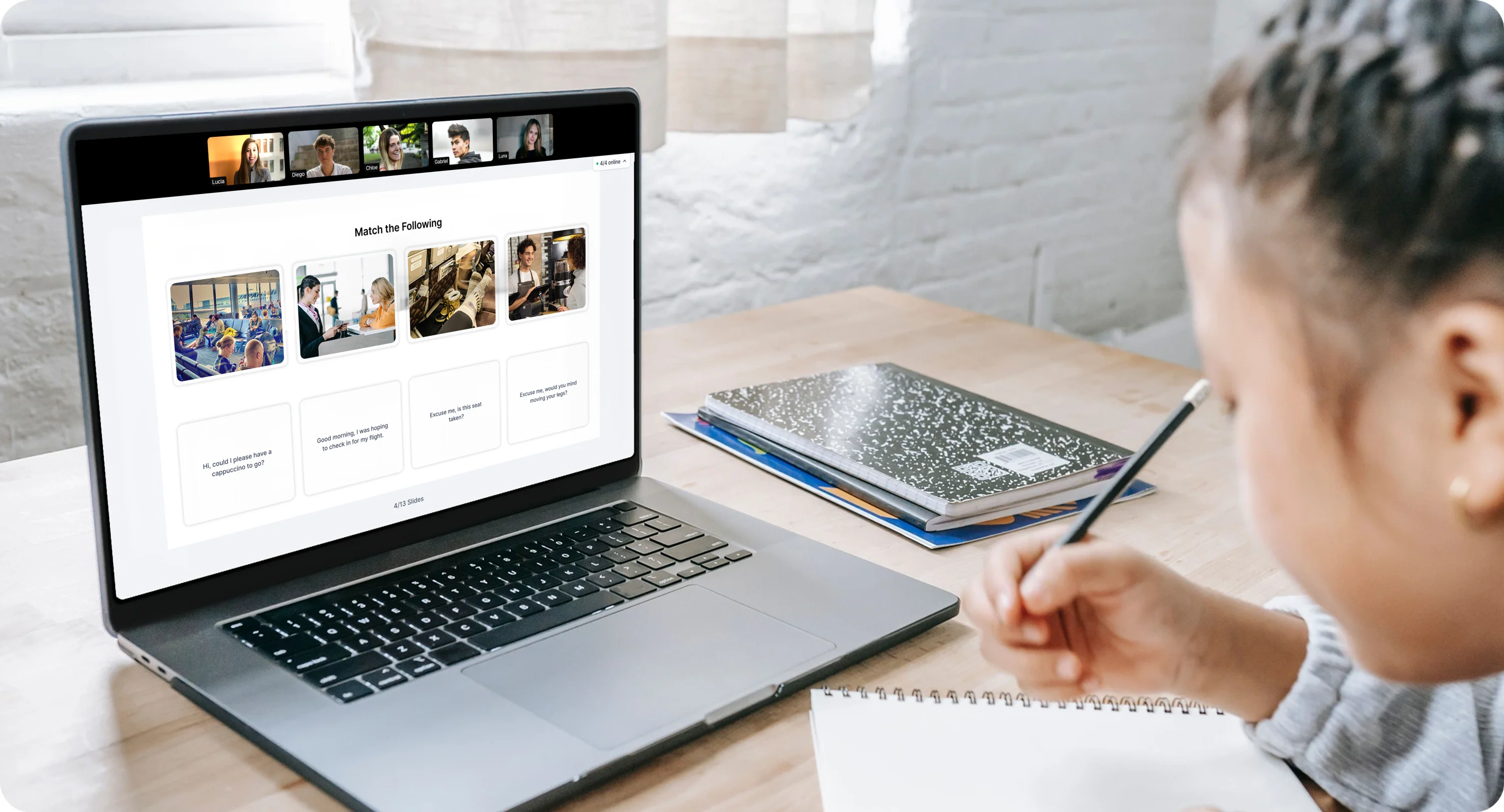
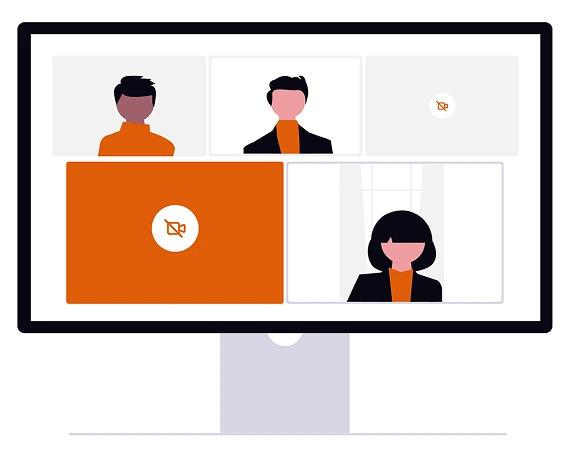
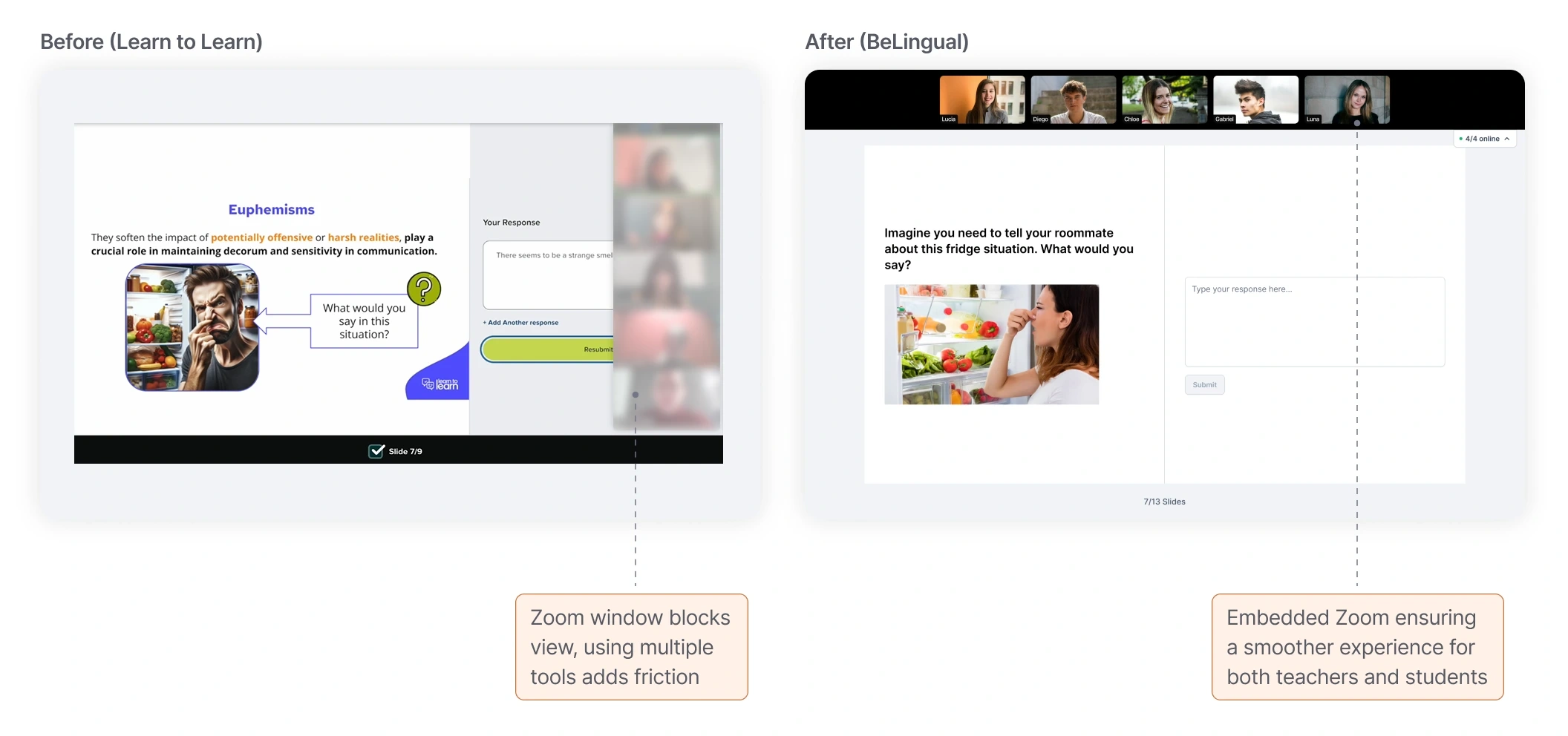
In traditional online lessons, multiple windows and tools broke the natural flow of interaction and made it hard for teachers to see students. Embedding Zoom into the platform kept students’ faces visible alongside lesson content, maintaining eye contact, collaboration, and classroom rhythm.
 Understanding Students’ Feelings
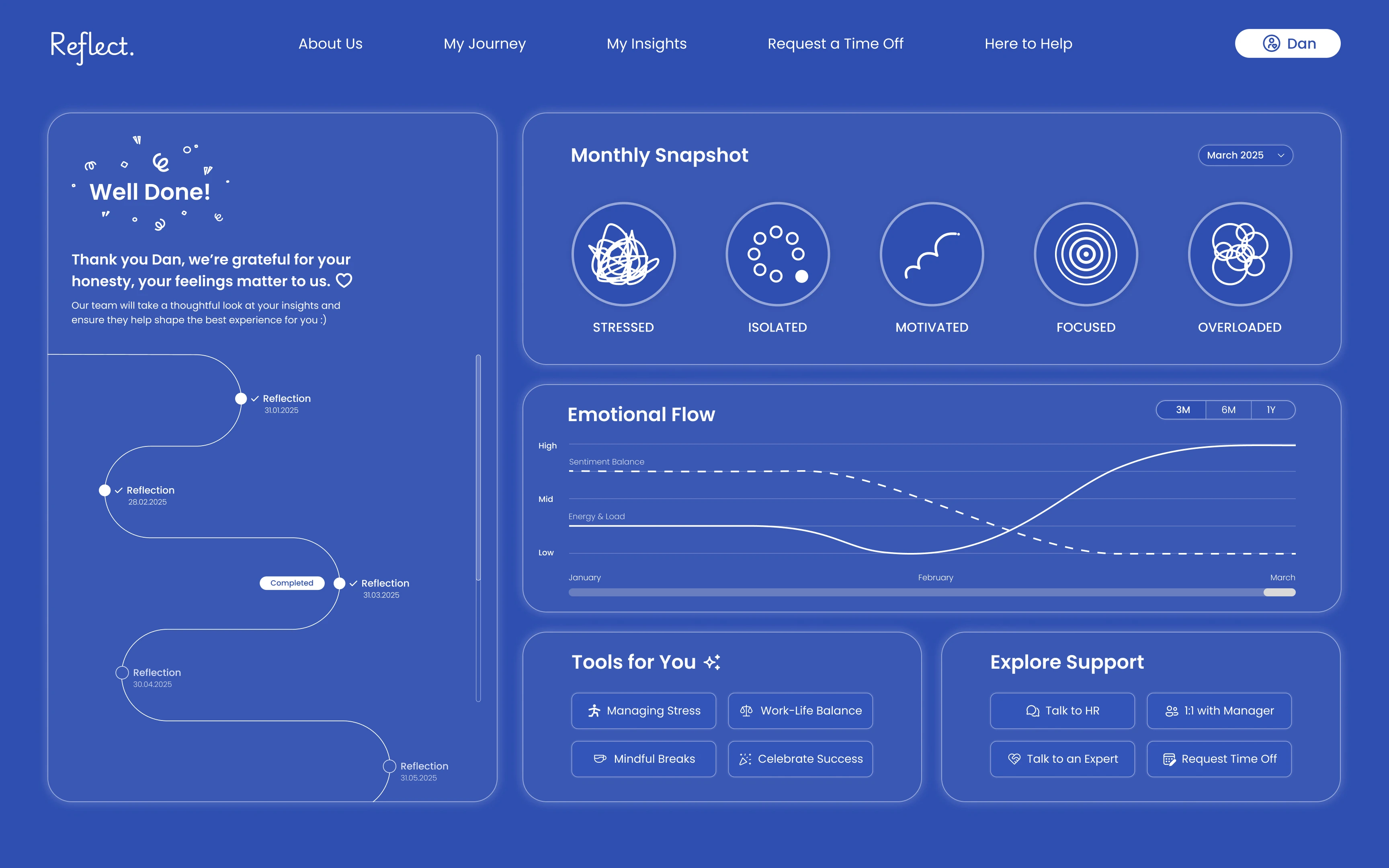
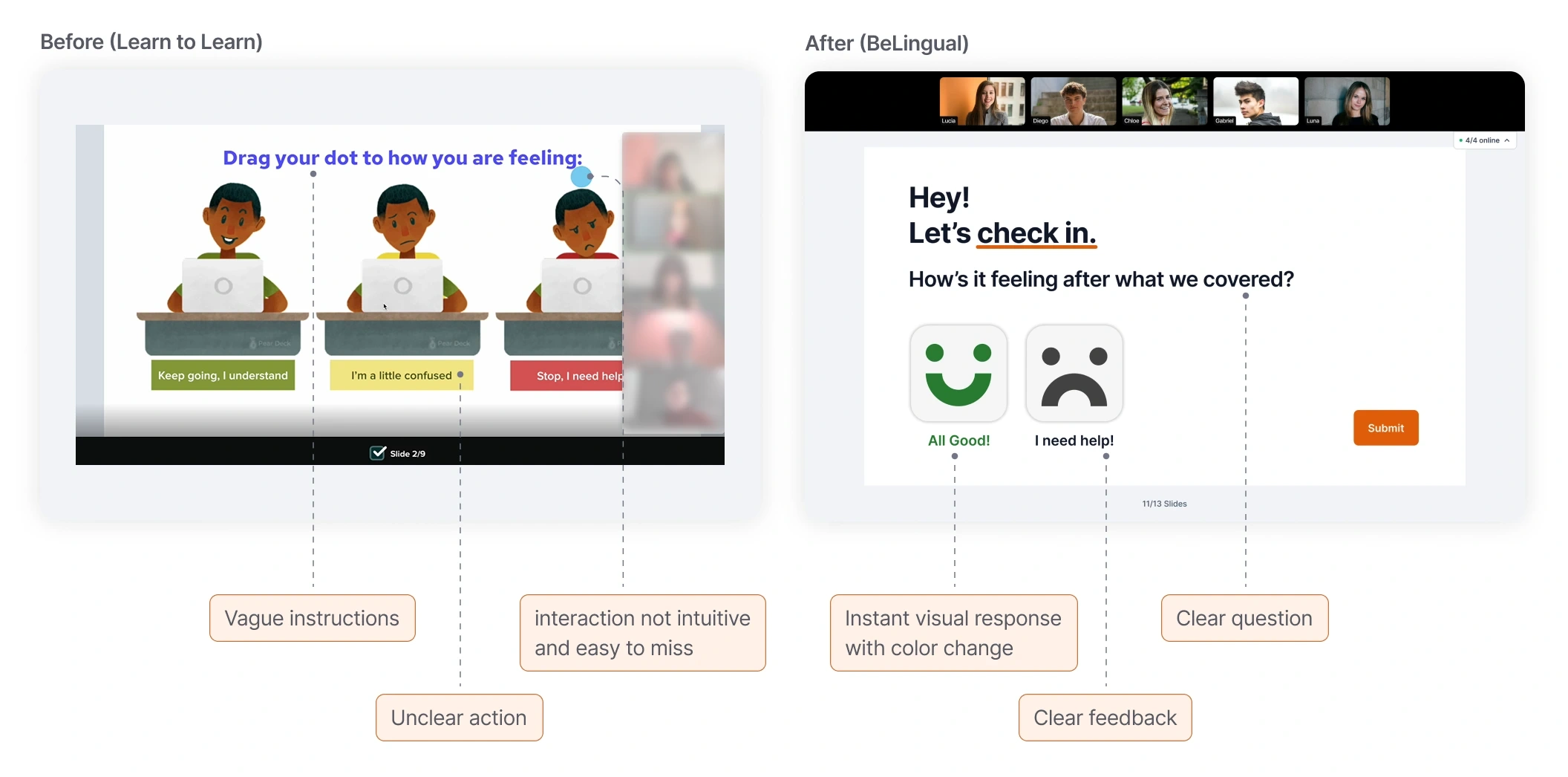
In online classes, teachers often lack real-time awareness of how students are coping with the material. The existing emotional check-in felt vague and difficult to act on, offering little clarity for teachers. Redesigning this interaction into clear, actionable signals gives teachers instant clarity, enables responsive teaching, and helps them support students in the moment while maintaining classroom connection.
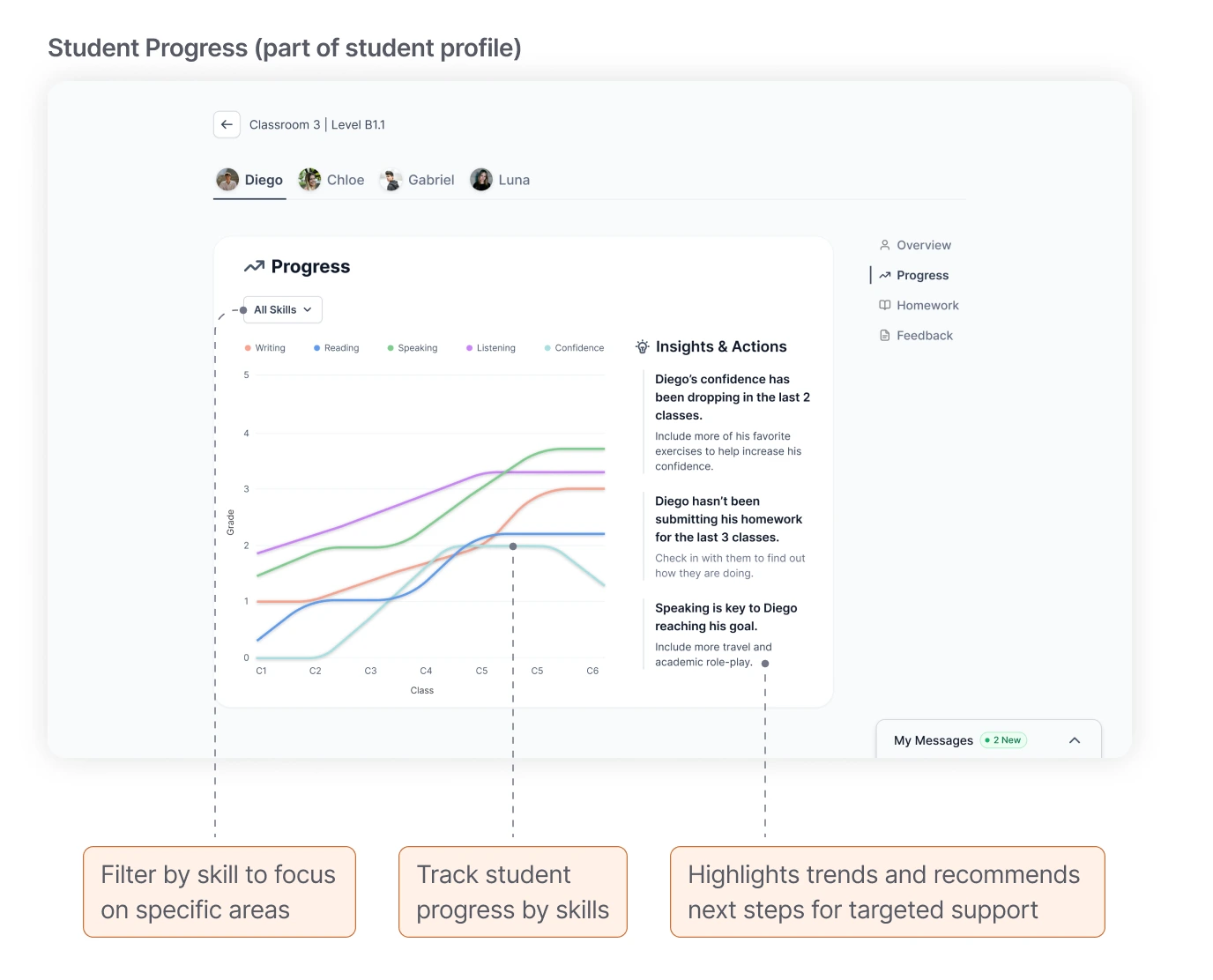
 Understanding Student Progress
Teachers often lack a clear view of how students are developing over time. Tracking progress across classes makes learning patterns visible, helping teachers spot who may be falling behind and adjust support before gaps widen. A visual progress view within the student profile tracks skills over time, giving teachers immediate clarity.
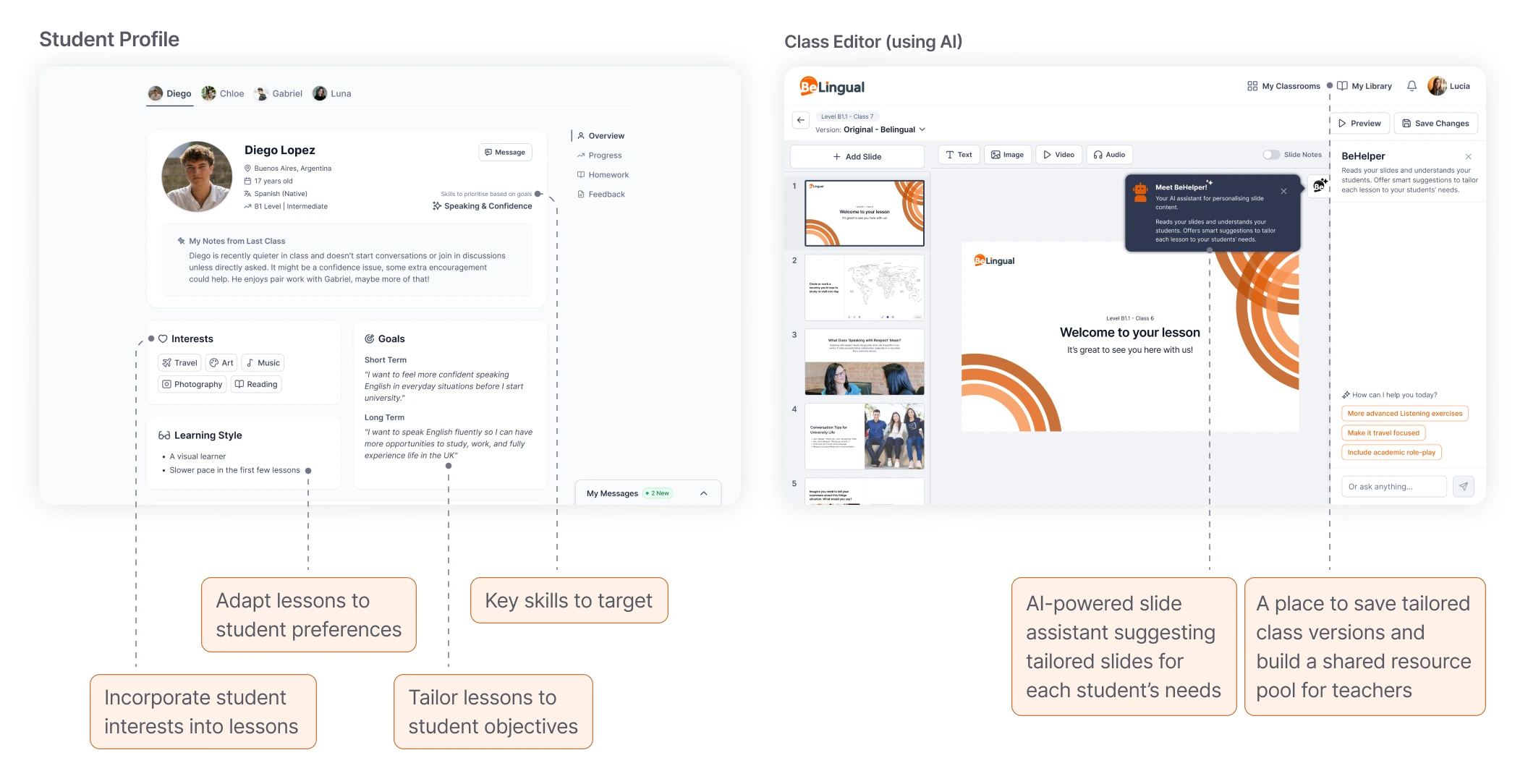
 Personalization
A lack of visibility into each student’s goals, interests, and learning style makes tailoring lessons difficult. Personalization tools surface this information and suggest ways to adapt content, helping teachers target support and increase engagement, and meet students’ individual needs.
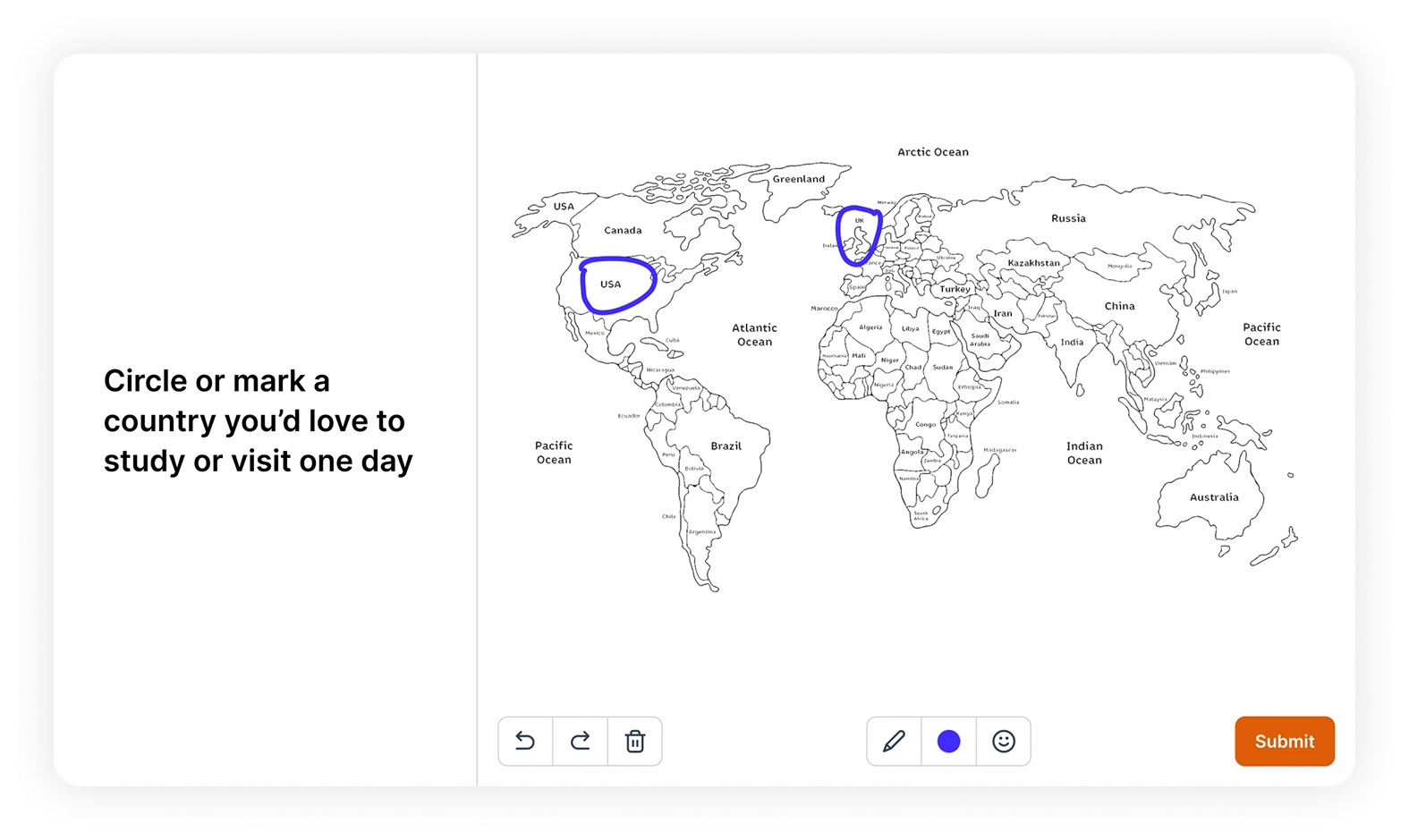
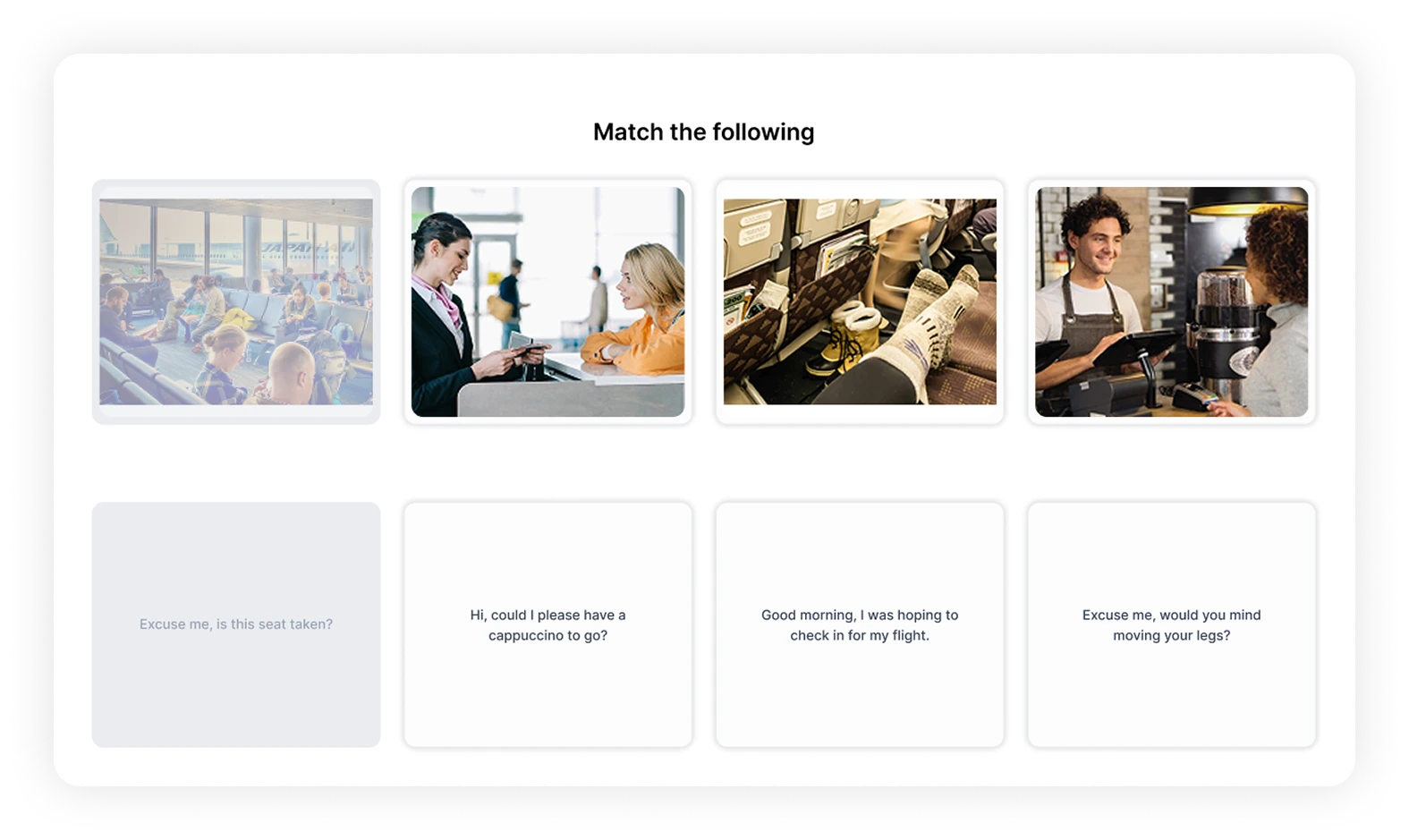
 Making Topics More Engaging
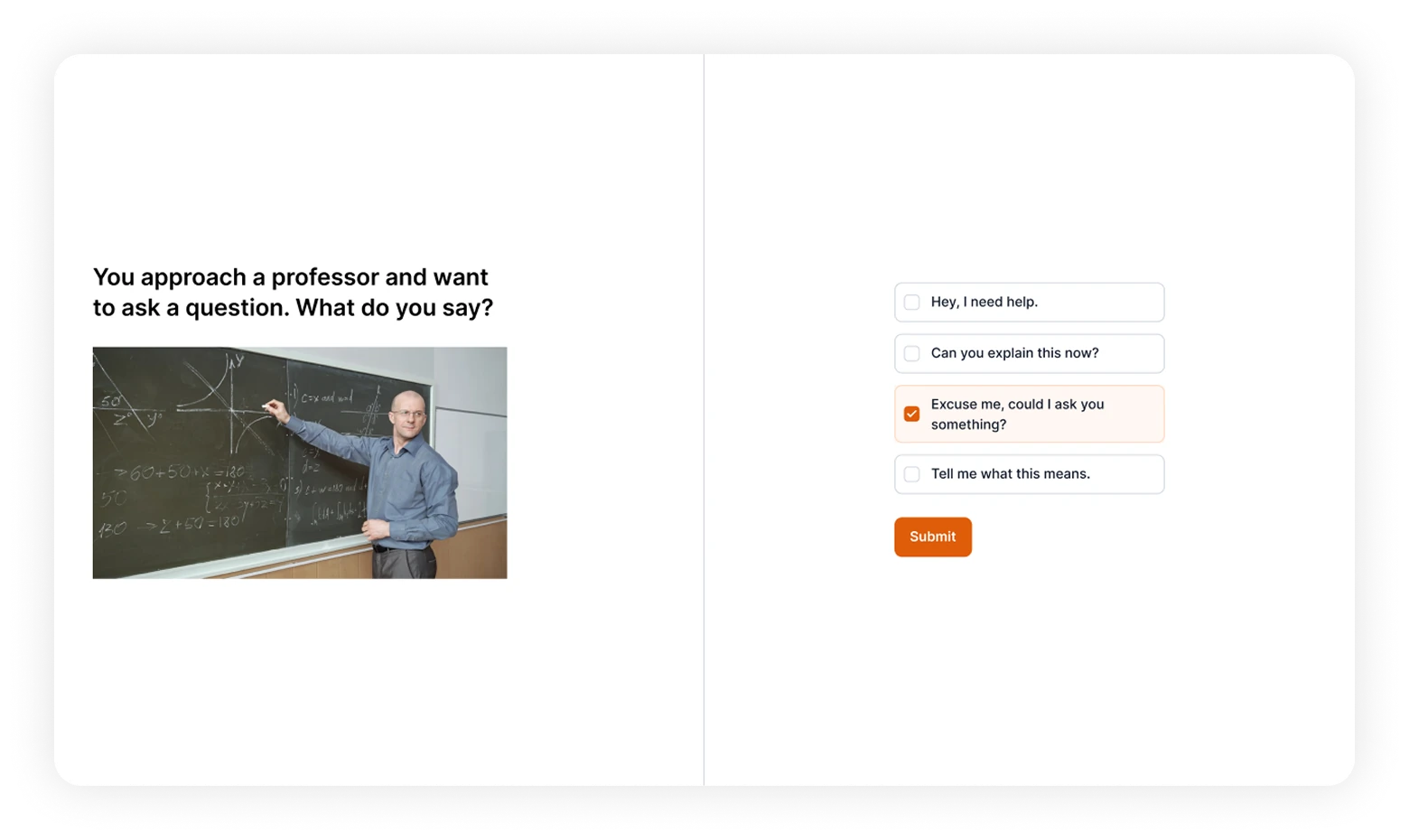
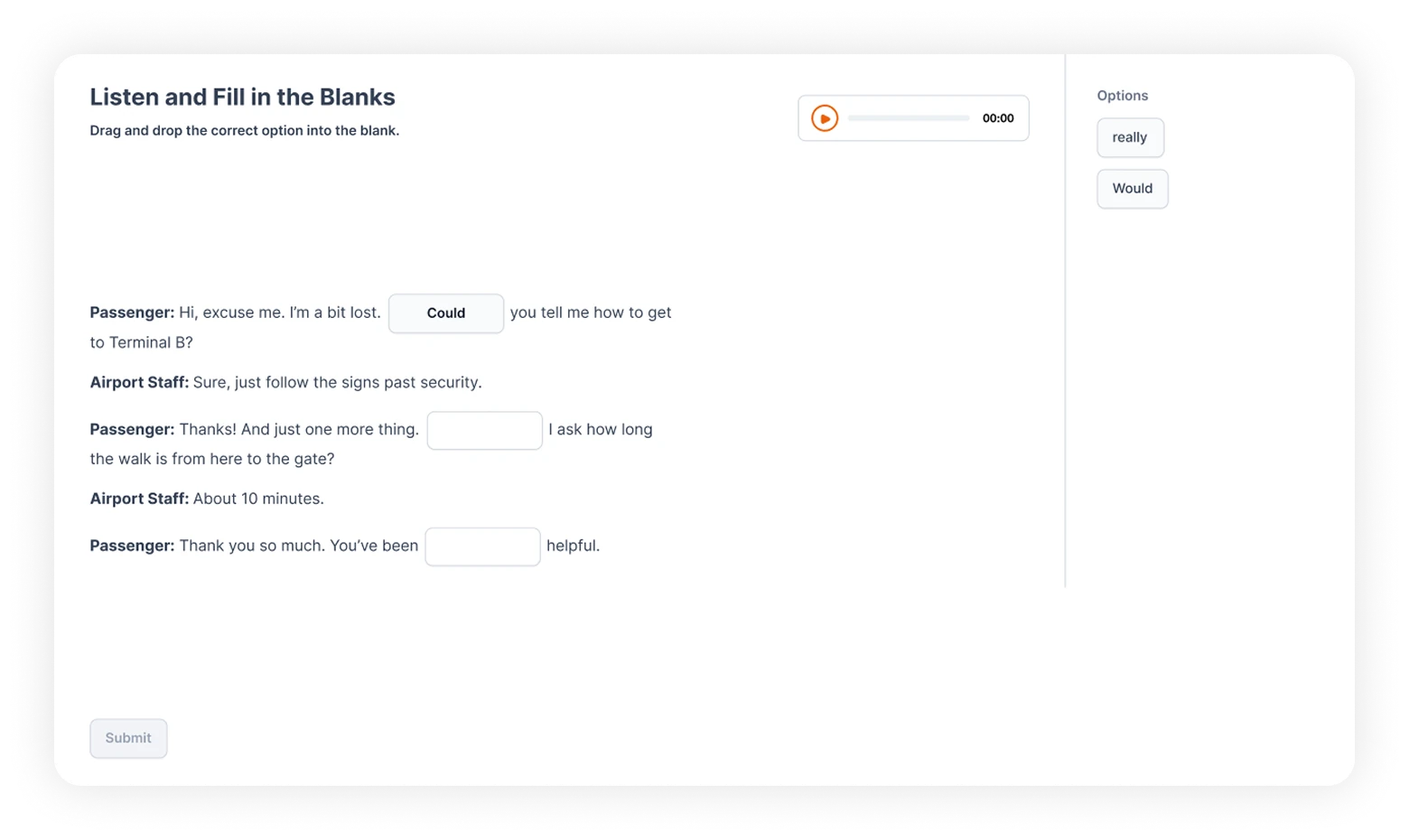
Teachers often struggle to keep students engaged, and static content can leave some students behind. Interactive and visual tools keep students involved, make concepts clearer, and maintain motivation. Features like quizzes and polls provide immediate engagement and help teachers gauge understanding in real time.
Measuring Success
Breaking the cycle of fragmented teaching
Designing the BeLingual experience demonstrated that eliminating multiple tools is the key to maintaining classroom rhythm. To measure the real-world impact of this unified strategy, these steps would focus on three core areas:
-
 Teaching Efficiency
Validating that teachers remain on the single surface for the entire lesson to confirm the total removal of context switching.
-
 Active Engagement
Measuring participation rates in visual activities to confirm the platform successfully maintains student focus and motivation.
-
 Support & Review
Tracking the use of emotional check-ins and student profile analytics to validate that insights lead to immediate teacher intervention.